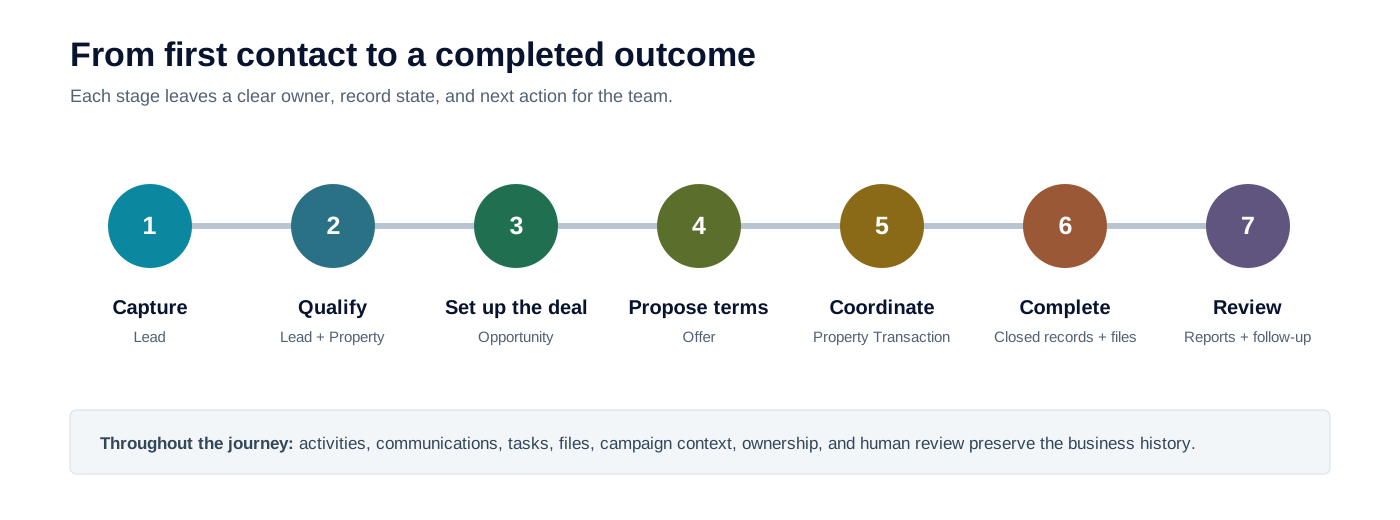
8020CRM brings customer relationships, property work, deals, follow-up, and reporting into one connected Salesforce experience. The goal is simple: each person should be able to see what has happened, who is responsible now, and what should happen next.
RAIN OS provides the communications and AI foundation used by configured 8020CRM experiences. RAIN Intelligence is optional and may not be available in every organization.
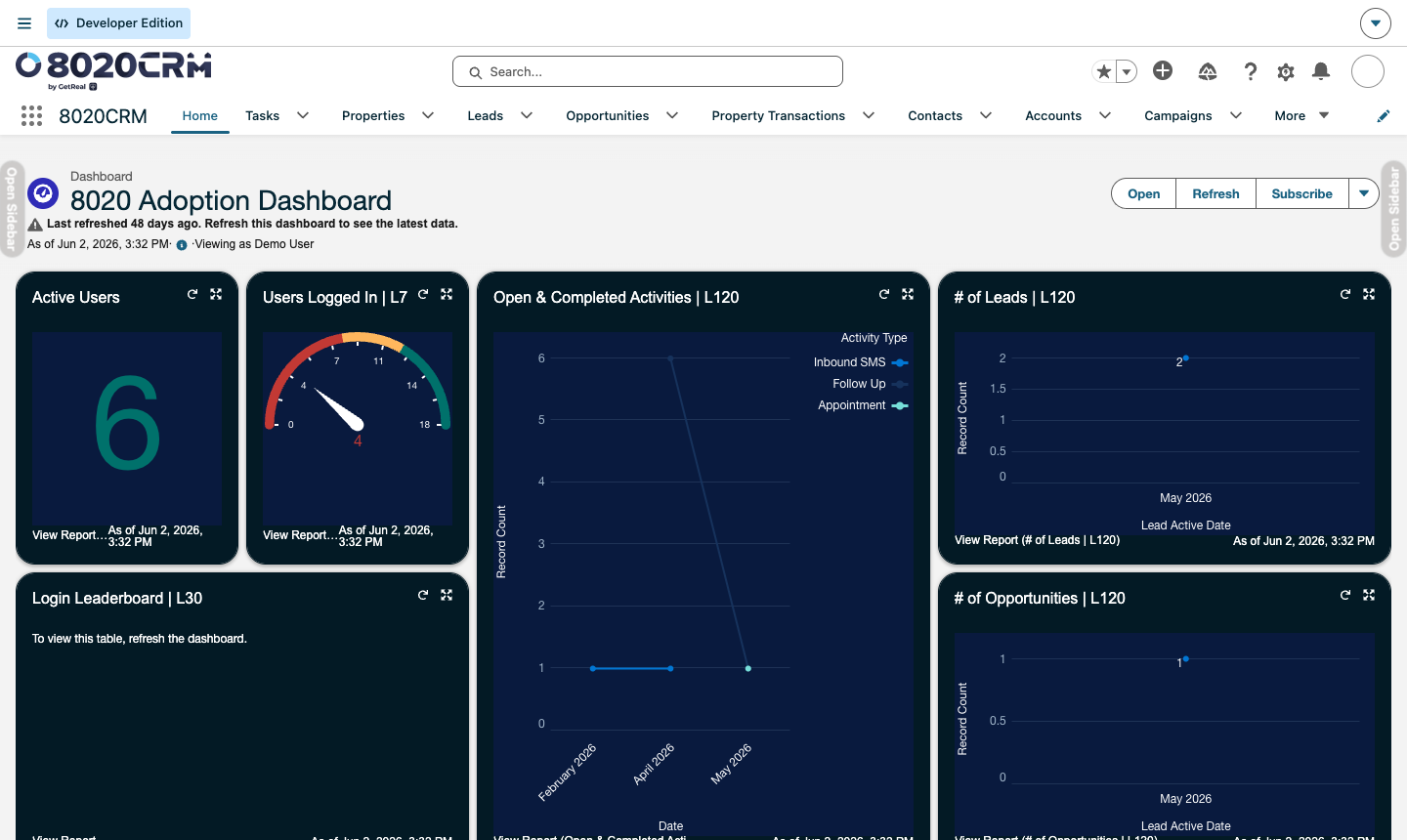
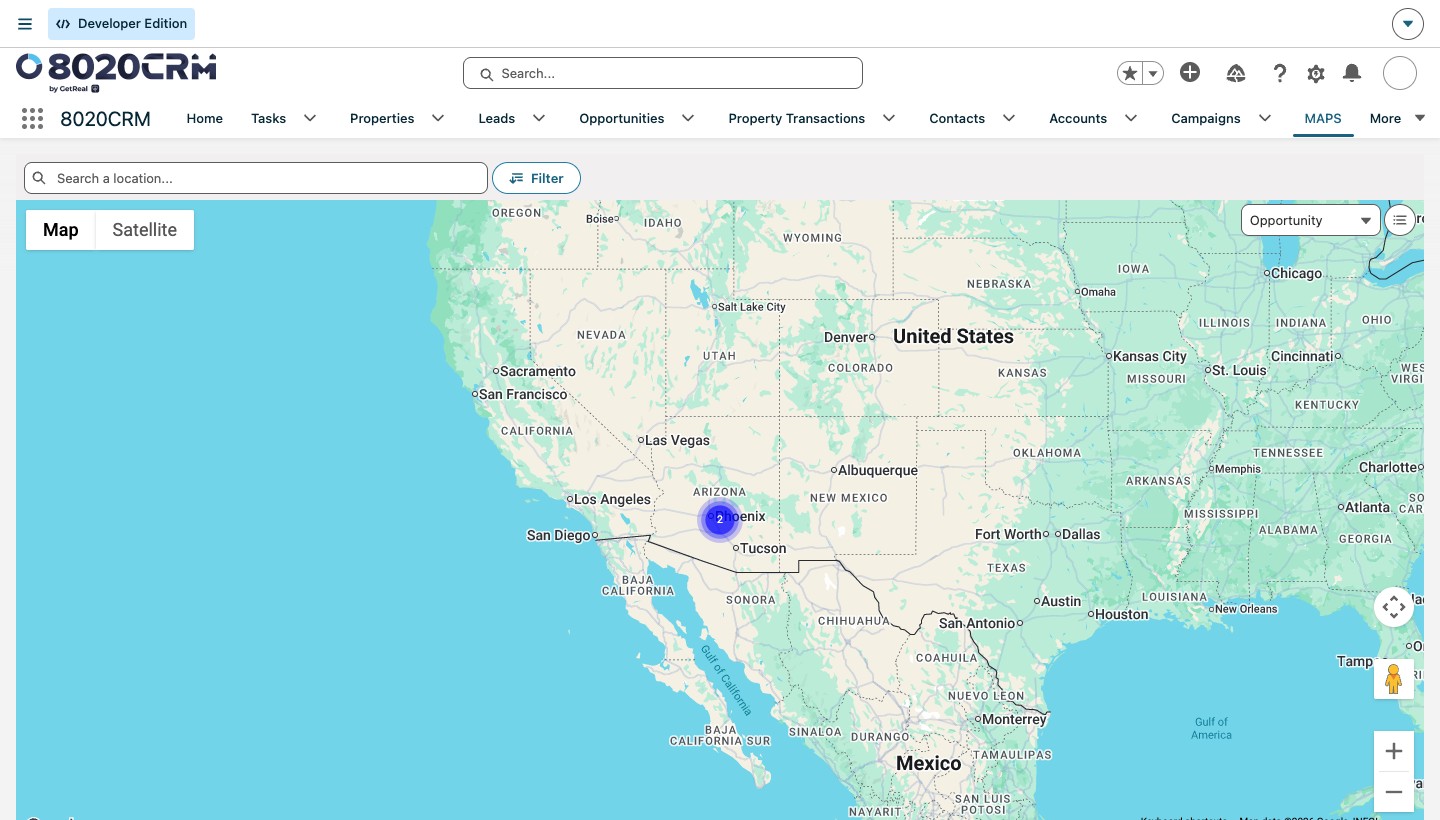
The available navigation and dashboard content vary by role, access, and configuration.
What this helps you do
Use 8020CRM to:
- Capture and qualify new interest.
- Connect people with the correct property and deal.
- Preserve proposals, milestones, activities, notes, and files.
- Coordinate work across sales, transaction, marketing, and management teams.
- Close the journey with complete information for reporting and follow-up.
Choose a learning path
| I need to... | Start here |
|---|---|
| Understand the screen I am looking at | Home, navigation, and the utility bar and Record pages, tabs, and guided workspaces |
| Plan today's follow-up | Tasks, events, and daily work and RAIN Hub, Inbox, and daily priorities |
| Capture and convert a new relationship | Lead intake, assignment, and nurture and Lead conversion and deal setup |
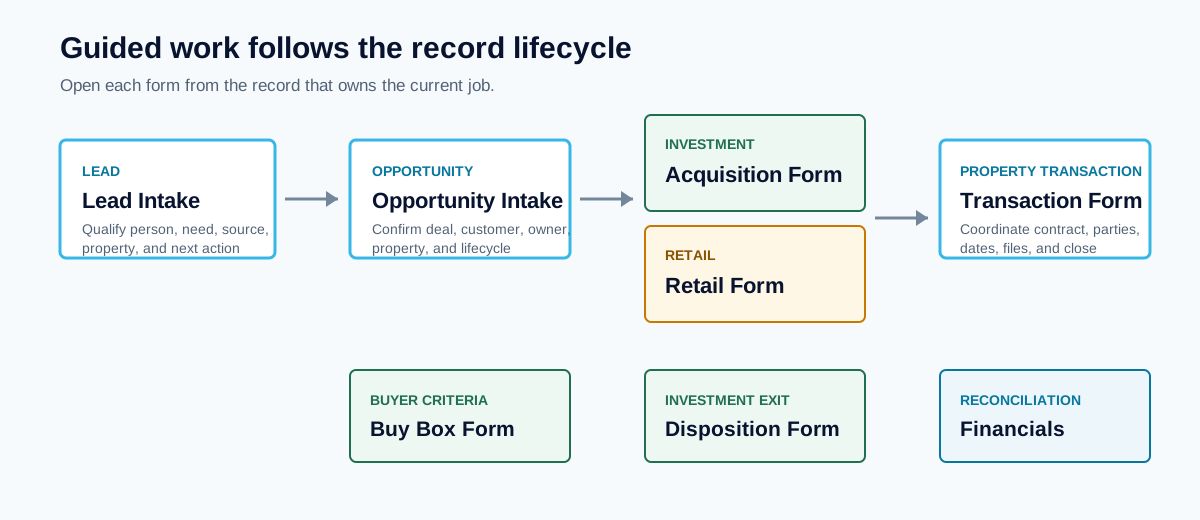
| Run an acquisition, disposition, retail, or closing workflow | Guided forms by lifecycle, then the applicable deal lifecycle |
| Work buyer criteria and matches | Buy Box, buyer matching, and prospecting |
| Operate marketing | Campaigns, marketing, and response follow-up and Expenses, Campaign Statistics, and marketing performance |
| Understand results | Report and dashboard catalog and Reports, dashboards, and operational health |
| Configure or troubleshoot the product | Setup, access, and launch readiness and Troubleshooting and safe recovery |
Where to work
Most users begin from Home, a work list, a queue, or an assigned activity. Open the record that best represents the work before starting an action.
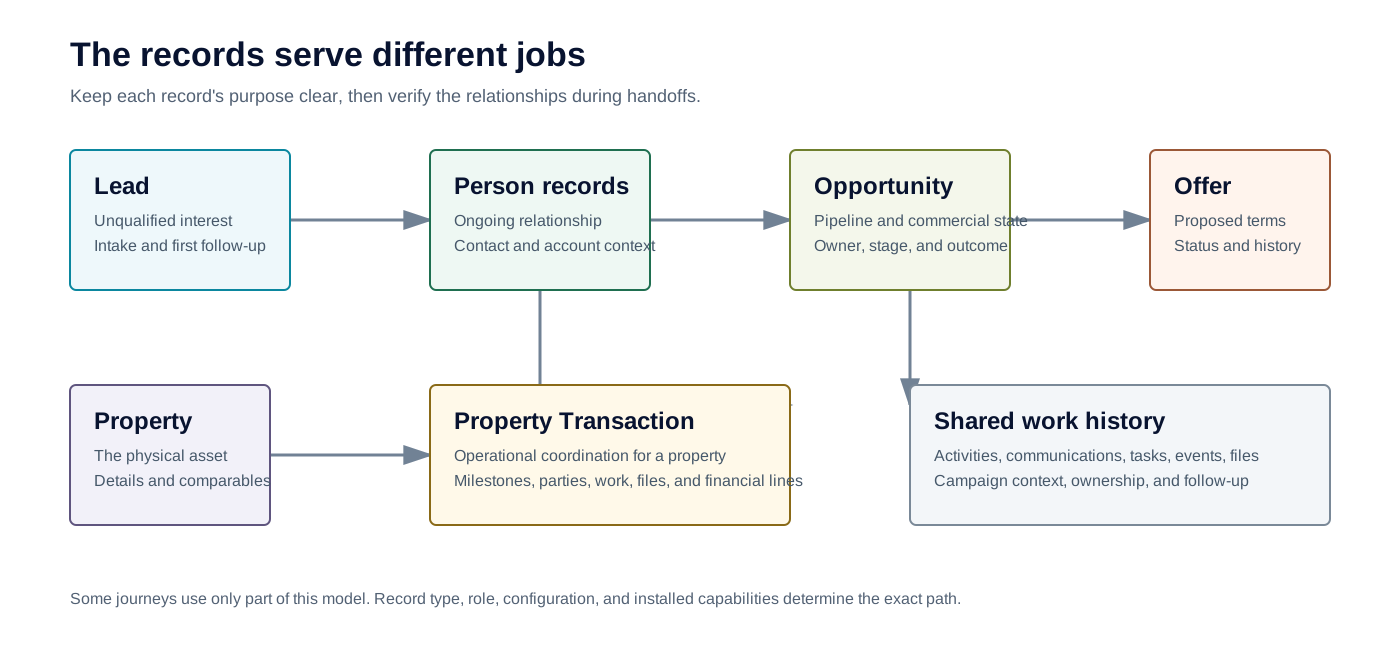
| Record | Use it for |
|---|---|
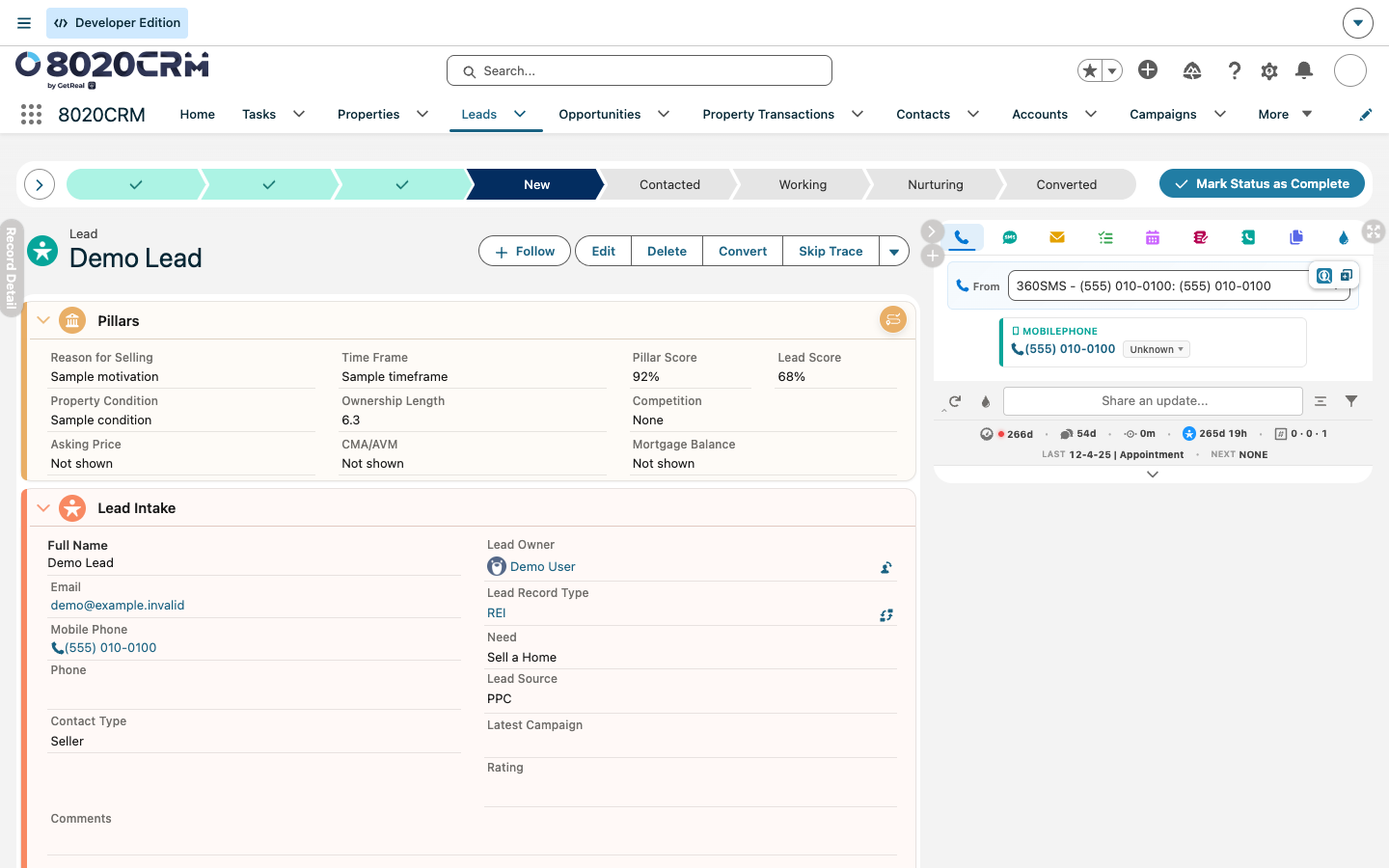
| Lead | Unqualified interest, early contact, assignment, and nurture |
| Property | The durable identity and known details for a property |
| Opportunity | Pipeline, customer relationship, and commercial progress |
| Property Transaction | Property-specific operations, parties, dates, offers, and closing |
| Offer | A distinct proposal and its terms or outcome |
| Task, Event, or Communication | The next commitment or completed interaction |
Work through it
- Start from the assigned work item or the intended customer, property, or deal record.
- Review the owner, lifecycle status, recent activity, related records, and next action before editing.
- Update the record that owns the business fact. For example, keep proposal terms on the Offer and operational milestones on the Property Transaction.
- Save the change once, then confirm that the initiating record reflects it.
- Check the related records that should receive or summarize the result.
- Record the next Task, Event, or communication so responsibility remains clear.
Some results are immediate, such as a saved value or newly visible record. Assignment, property updates, relationship reconciliation, activity measures, campaign calculations, and connected-service work may complete later.
Confirm the result
Work is ready to hand off when the intended records are connected, the current owner and lifecycle state are accurate, recent activity is visible, and the next responsible user can continue without reconstructing the history elsewhere.
For a delayed result, refresh the relevant records after a reasonable processing interval. A successful save confirms the first step completed; it does not always confirm that every related update is finished.
If it does not look right
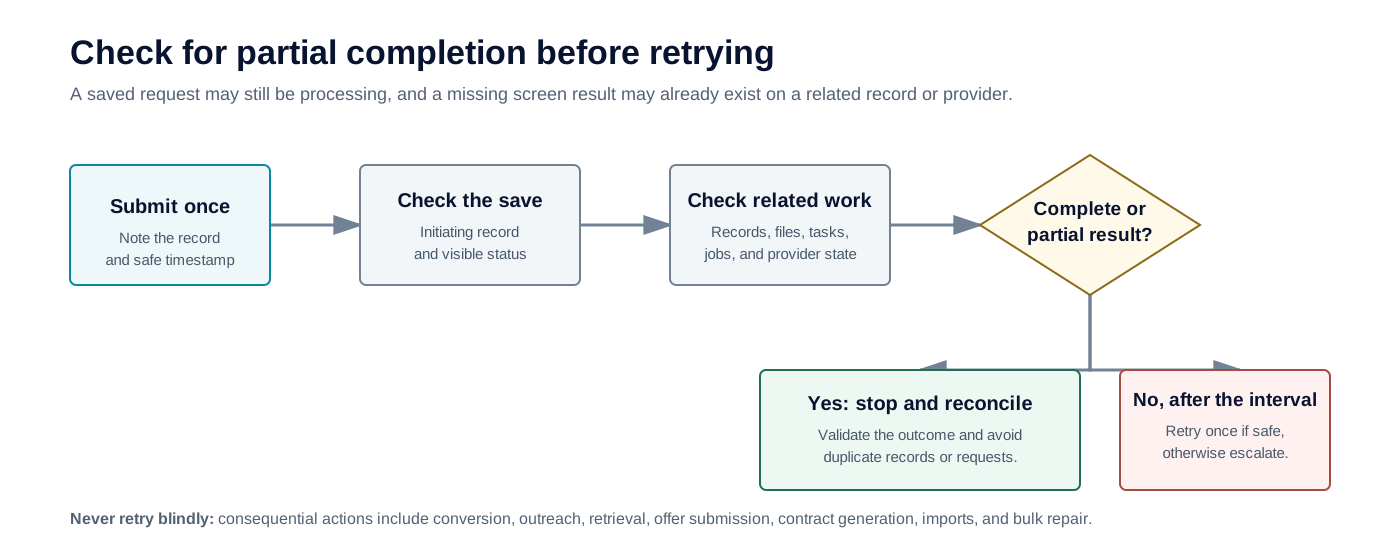
Before retrying, check whether the first attempt created a complete or partial result. Repeating conversion, enrichment, stage changes, outreach, or offer actions can create duplicate work or conflicting records. If part of the workflow succeeded, repair only the missing relationship, value, or follow-up step.
Related guidance
- From first contact to close
- Roles, workspaces, and key records
- Setup, access, and launch readiness