RAIN OS application
The packaged Lightning application brings together setup, agents, phone numbers, knowledge, outreach, communications, insights or suggestions, and the optional RAIN Intelligence entry point. It also includes common Salesforce records used in those workflows.
The utility bar provides persistent access to selected productivity and operational tools, including the RAIN Hub and communication-related utilities. Exact visibility depends on permission assignment, app configuration, form factor, and subscriber Lightning activation.
Main work areas
Setup is for administrators configuring features, providers, permissions, metadata synchronization, scoring, and hosted compatibility.
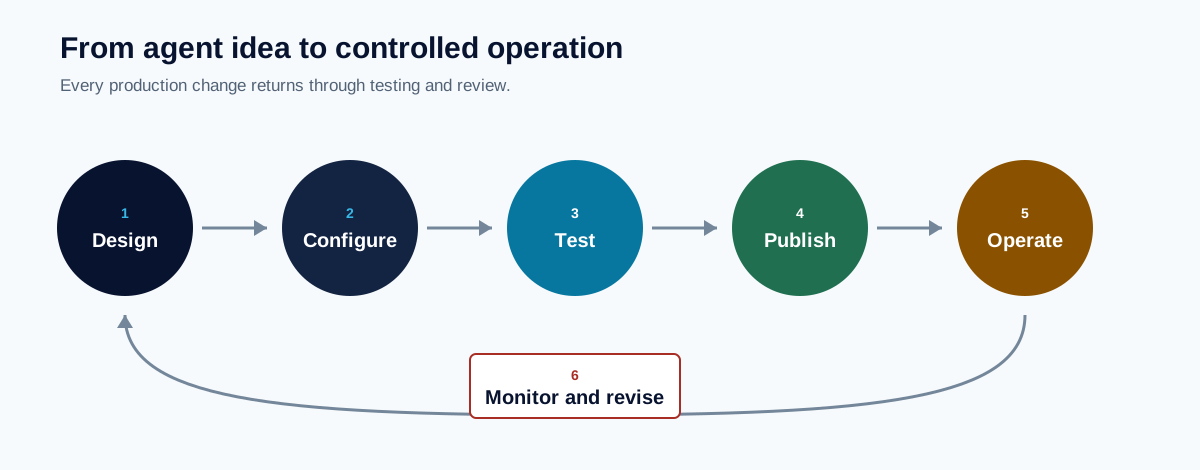
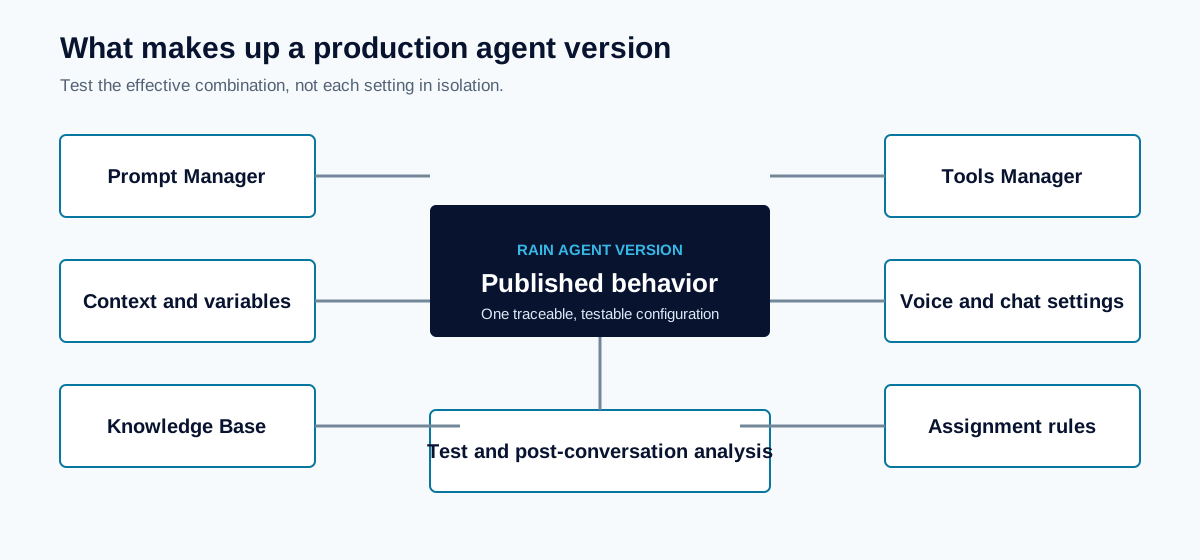
Agents is for agent definitions, versions, tools, knowledge, assignments, publication, and channel conversion.
Communications and phone is for senders, phone numbers, message composition, calls, communication history, and delivery status.
Outreach and recommendations is for outreach lists, next-best actions, insights, suggestions, and review decisions.
RAIN Hub presents operational work and shortcuts. Treat the underlying Salesforce records as the authoritative status when a compact surface omits detail.
RAIN Intelligence opens the optional hosted experience for entitled and connected users.
Record pages and actions
RAIN OS packages Lightning record pages for core agent, phone, outreach, insight, suggestion, and communication work. Quick actions support frequent operations such as cloning or publishing an agent, converting a channel, managing a number, placing a call, or opening a widget.
A packaged page is not necessarily the active page for every app, profile, record type, or device. Administrators should review Lightning activation after installation and upgrades, particularly when the subscriber already has custom record pages.
Communication composers
RAIN OS provides channel-specific and combined composer experiences. The available controls depend on record context, provider configuration, sender availability, user access, and the selected channel.
When a composer opens without expected values, check the source record and permissions before editing the component. When it submits successfully, continue to the communication record to monitor asynchronous status.
- Assign the appropriate RAIN OS permission set.
- Add the RAIN OS app to the user's available applications.
- Confirm required tabs are visible in the app navigation.
- Activate packaged or subscriber record pages for the intended app, profile, record type, and device.
- Review component visibility rules and custom-permission conditions.
- Test as a standard user with representative record sharing.
Avoid giving broad administrative access solely to make a tab appear. Resolve navigation, object access, and component visibility at their correct layer.
Empty, loading, and error states
An empty list can mean there are no records, the user lacks sharing access, a filter excludes records, or synchronization has not completed. A loading state can represent an Apex request or provider operation. An error should be correlated with the affected record, asynchronous job, or provider status.
If a component repeatedly fails, capture the user role, app, page, record type, record state, action, and time. Do not include credentials or sensitive message content in support evidence.
Troubleshooting navigation
The app is missing: Check permission-set assignment, app availability, license, and whether the user is in the intended Salesforce org.
A tab is missing: Check tab visibility and app navigation independently from object access.
A record uses an older layout: Review Lightning page activation and record-type assignment.
An action is missing: Check page layout action placement, component visibility, record state, and custom permissions.
The RAIN Intelligence tab opens but cannot connect: Follow the hosted compatibility checklist; the tab permission alone is not a hosted connection.